Showing posts with label Computers. Show all posts

Tuesday, June 8, 2010

Beating IE8 ‘Compatibility View’

The main website I work for was getting complaints from users that one of our pages was displaying “broken”. As it turns out, it was a problem in IE only and it had to do with the new “Compatibility View”. When Compatibility View was on the layout of the content was totally jacked, no-where near readable.

After figuring that out I had to figure out how to stop the users from being able to view our website in Compatibility View. So me and another associate from work start hitting the webs to see what we can dig up. I come across a page on Microsoft’s MSDN website saying you need to send your information to them to be added to a white list that they keep and distribute to the browsers. You have got to be kidding me!

Right after I find that link my buddy from work shoots me another link to another page on M$’s MSDN site and this link to a blog saying all I had to do was insert a meta tag right after the opening head tag and it would force IE into what ever version I wanted. Sweet!

<meta http-equiv="X-UA-Compatible" content="IE=8" >


Unfortunately it didn’t work in my scenario. I, like many others, am using some of the built in CF UI components which forces the loading of CF’s supporting files immediately after the opening of the head tag. So trying to add a meta tag before that is futile! Also, you would have to add it to every page on the site unless you were using some sort of template system.


So with the meta tag in mind I go back and take another look at the second MSDN page and this little chink of code jumps out at me. It basically states that using the config file for an M$ .NET/ASP site you can set a custom header to force IE to your needs;

<?xml version="1.0" encoding="utf-8"?>
<configuration>
<system.webServer>
<httpProtocol>
<customHeaders>
<clear />
<add name="X-UA-Compatible" value="IE=EmulateIE7" />
</customHeaders>
</httpProtocol>
</system.webServer>
</configuration>


So I do a quick Google to see if I can dig up any more info on it because we/I don’t use any of that on the website and I come across this page that says you can just add it to the IIS config under Custom HTTP Headers. Even better! This would take care of it site wide. How delicious!


iisCustomHeader[1]


As I was writing an email to my buddy on what I found so he can make the changes on the server I started thinking of other ways that this can be accomplished. Hmmmmm? In my case, I just added one line of code to my main template file;

<cfheader name="X-UA-Compatible" value="IE=8" />

Done deal! In Coldfusion you could also add it to your application.cfm/cfc if needed, but if you do remember that it will be called on before every cfm page is processed. Meaning, if you are using any includes the extra header will be sent for that include. This could result in some weird display issues.


It then gets me thinking how I can do it in Apache on either a server wide basis or per site. Of course it gets a little more tricky but relatively it’s not that painful!


First and foremost you have to make sure you have apache configured with mod_headers and that it’s loaded in your config. If you have access you your server/apache config, open the httpd.conf in your favorite editor and check to see if the following line is in your modules/ Dynamic Shared Object (DSO) Support;

LoadModule headers_module modules/mod_headers.so

If it’s there and not commented out, i.e. doesn’t have a # in front of it, you are ready to go. While you have the file open, now is the time to decide how you want to apply the workaround. If you just want it to be applied server wide add the following line just below the modules section, or anywhere below that point, I just chose to put it there for convenience.

Header add X-UA-Compatible "IE=8"

Save the file and restart httpd. It now should be applied server wide. You could for insurance wrap it in an if statement as shown below just in case, but I like living on the edge!


<IfModule mod_headers.c>
Header add X-UA-Compatible "IE=8"
</IfModule>

If you want to use it on a site per site basis then there are 2 ways of doing so. The first is by adding the above line to the virtual server config for the website. The other is by adding to the .htaccess file. Either way will accomplish the same purpose.

Wednesday, February 24, 2010

What a long strange (upgrade) trip it’s been!

Holy crap batman! This easily has to be the longest upgrade I have ever done. Especially seeing I didn’t build a new machine. All I did was upgrade the drives in my RAID array added new video cards to my machine. The rest was just upgrading the internal network to a gigabit.
Upgrading the drives was the major time killer. First, I had to format 4-1 Terabyte HD’s which took almost 3 hours each! OUCH! Installing a fresh copy of Windows 7 went without a hitch. Detected everything in the computer right off the bat. Even the new, dual Nvidia GT250’s I put it. Smokin’ video cards by the way! 1GB DDR3 per card. Yummy! They are dual slot cards so they take up all but one of my slots on the pc. That one holds my WinTV card. And as another added bonus with this upgrade, Comcast FINALLY opened up some Clear QAM channels that my TV card can decode. So I finally have some HD TV on my pc. It’s been great watching the Olympics!
But I digress, back the the friggin’ HD’s. So not only did it take almost 3 hours per drive to format them, 1 for a backup drive and the other 3 for a RAID array, it took almost 36 hours to sync the resulting 1.8Tb RAID5 array. And all that time doesn’t even include copying the over 700G of data I have.
So I finally get everything formatted, installed and configured Monday night after starting everything last Thursday. I wake up Tuesday morning and what do I find? One of my monitors died! WTF! If it’s not one thing it’s another? The biggest kicker isn’t that it died, it’s that you can hardly find any 19” monitors any more with a standard 4:3 aspect ratio. The only ones I found that were comparable to my current monitors costs a minimum of $180-200. I can get a brand new 23” wide screen (16:9 aspect ration) for an extra $30. So I said “to hell with it” and got me a new HD ready, 1080p, 23” Viewsonic widescreen LCD monitor. Should be coming tomorrow. I’m going to have so much screen space I won’t know what to do with it!
So after getting everything up and running I check my email. Looks like you-know-who was a busy little boy since I wrote the post about greatschools.org getting back to me and me calling him out on accessing my websites from his work! So far I have 3 text files documenting all the major crap that went on.

  1. Starting 2/16/2010 at approx 23:46 CST till 2/17/2010 00:14 CST, I was being swarmed with a UDP flood all pointing to my outbound connection.

  2. On the 17th, between approx. 13:10CST – 13:36CST I had 17,471 hits on UDP port 1025 which access attempts to said port are from a Trojan called Remote Storm. With one last visit on that port on 2/18/2010 at approx. 17:50 CST.

  3. On the 18th around 16:38 CST I get 3 firewall warnings for a “Teardrop Attack” coming from ip address 178.66.179.29. Along with that I just found on the 18th that I was being flooded with more UDP traffic coming from ip address 124.40.51.144.

  4. The 19th has so far consisted of random ip addresses hitting random UPD and TCP ports. Heaviest port being hit was UPD port 2805.

  5. The 20th was the same except the majority of the hits were to UDP port 2869. But, at around 18:00 CST I received a phone call from work that the website was under a DoS attack from a Comcast address 67.163.25.163.

  6. The 21st around 22:16 CST – 22:31 CST, I started getting slammed on UDP port 2140, which references back a Trojan named Deep Throat/Foreplay. During that time also, at approx. 23:06 CST I get warnings that I am being scanned from 130.94.111.20.

  7. The 22nd, between approx. 12:49 CST and 14:28 CST, once again it was a UDP flood on port 2366 with some other UDP ports mixed in.

  8. The 23rd, was just a bunch of different attempts on different UDP ports. On top of that though, in my email logs, it looks like someone was trying to hack in/brute force attack my pop email server starting at approx. 2:24 CST.

Today seems to be quiet so far, but he usually doesn’t start till the afternoon or late night.
Spoke to soon! Seems today I was getting flooded primarily on UDP port 1372. It started at approx. 12:32 CST and stopped around 14:12 CST. I also just saw someone trying to use a bot called  Linkwalker/2.0 from brandprotect.com/seventwentyfour.com. Odd. After going to the website I see what’s going on.

Friday, January 8, 2010

Chicagoland DNS poisoning

image001 From what I can tell at this time the Chicagoland area is experiencing a DNS poisoning problem. I work for a website called Binnys.com. We started getting emails from our customers as early as last night that when they went to our website they were receiving a bogus search page as seen in the image to the right. We assumed at the time it was probably a local virus on the customers machine.

Then this morning we started receiving more and more emails asking if our website was bought out, if we were infected in some way. So upon further investigation we found that there was DNS poisoning happening widespread among different networks in the Chicagoland area. To test this I tried going to our website on my mobile phone, a Sprint HTC Touch running Windows Mobile 6.x. If I went to just binnys.com I would get the bogus search page. if I went to www.binnys.com our website came up.

As of right now 3:07pm CST the problem is still occurring on my mobile phone. My regular workstation and my servers are all ok meaning Comcast DNS has not been compromised yet.

Wednesday, September 16, 2009

Getting Android running on a Sprint HTC Touch

Oh what a fun adventure this has been! I was intrigued by Google Android OS after I got Google's SDK running in Eclipse so I could have a good cell/smart phone emulator to test the mobile site I was writing for Binny's.


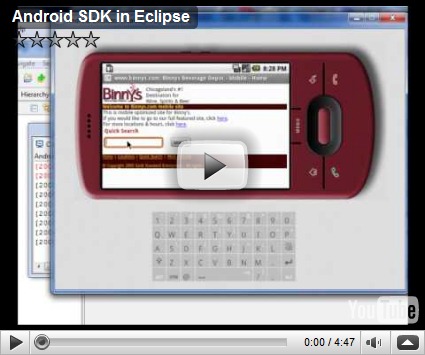
This is the video I made using the Android SDK in Eclipse to emulate a smart phone running Android. Very cool that the plug-in integrates so nicely into Eclipse! I have been playing with Eclipse for years. Adobe finally came out with their own version of an IDE for ColdFusion called Adobe ColdFusion Builder based solely on Eclipse! Pretty sweet!

So back to my Android adventures on my Sprint HTC Touch. I started out at a site MyHTCPhone.com with a single cab file that had Android 1.1 on it. After I got that going, and seeing it was only Android 1.1, I found this website, code.google.com. Of course it would be a wiki on the Google code pages!

After extracting the contents of package(SuperHero081609.zip) I went with to the root of the SD card per all the instructions I found, I started fussing around with the config file, "default.txt", I figured out that for my phone I had to set a parameter "board-htcvogue.panel_type" to 3. After that, all was wonderful! Here is a video of me booting to Android;


The only thing that doesn't work as of yet is the camera/video. I can view all the old images and videos that I have on the phone, I just can't record at the moment. Another thing I have yet to test is the GPS functionality. But that was already spotty on my phone as it was. Some times I would connect/find satellites, most of the time not.

So to sum it up;

  1. Go to http://code.google.com/p/vogue-android/downloads/list and download one of the bundles; SuperHero081609.zip , PureBlack081609.zip, zen-hero-090809.zip, android-1.5-2009-08-08.zip, herolite.zip
  2. Extract all files some place locally on your PC.
  3. Edit the "default.txt" file and change/add "board-htcvogue.panel_type=3" (Mine worked with a setting of 3, if you get a flashing white screen, try changing this setting to 1 or 2, but 3 worked for me. Here is a copy of my default.txt;
    set RAMSIZE 0x08000000
    set MTYPE 1667
    set KERNEL zImage
    set initrd initrd.gz
    ## The following kernel parameters are useful
    # ppp.username - The username used to connect to the network when dialing #777
    # ppp.password - The password used to connect to the network when dialing #777
    # ppp.nostart - Set ppp.nostart=1 to disable starting the ppp connection on boot
    # msm_sdcc.msmsdcc_fmax - The maximum frequency (in Hz) used by the SD controller
    # pm.sleep_mode - The mode used when the phone is off
    # 0=Power Collapse Suspend, 1=Power Collapse, 2=Apps Sleep,
    # 3=Slow Clock and Wait for Interrupt 4=Wait for Interrupt
    # Default is 3, use 0 for best power savings
    # board-htcvogue.panel_type - Panel type used to power the panel off and on
    # 1=Hitachi 2=Topoly 3=Samsung
    # clock-7x00.mddi - MDDI clock (try 0xa51 or 0xe2c)
    # clock-7x00.ahb_div - Advanced Host Bus divider, default is 4
    # 2 is faster but uses more power
    # clock-7x00.a11 - ARM11 clock speed in MHz, best to leave this alone
    # lcd.density - Defaults to 160, 128 shows more on screen
    # vogue-ts.XMIN - xmin value for the touchscreen calibration. Also YMIN, XMAX, YMAX, PMIN, PMAX.
    ## Probably the only one of these you will need to change is the panel type, NZ Vogues seem to all have type 1
    # US Sprint vogues usually have type 2 or 3 I think.
    # Make sure you add these between the quotes on the following line and that your editor hasn't split the line up.
    set cmdline "ppp.username= ppp.password= mddi.width=320 mddi.height=480 msm_sdcc.msmsdcc_fmax=32000000 pm.sleep_mode=0 board-htcvogue.panel_type=3 no_console_suspend"
    boot


  4. Copy them all to the root of your SD/Memory Card in your phone. If you have to ask "where is the root", you shouldn't be attempting this. Go out and buy a Google Phone!


  5. On the phone, go to "File Explorer" and then to the root of your SD/Memory card. Click on "haret.exe" You should have a new window open and click "Run".


  6. You should now see the Linux Penguin(Tux) and a bunch of text scrolling on the screen. It's gonna look like it hangs but let it go. If you look closely, the text is REAL small, you will see what it's doing. Give it a little bit and it will start loading Android.


That's it kids! You should now be running Android, or some flavor of, on your Sprint HTC Touch. In my opinion, the "Hero" builds are slower than the plain android build. Even though the graphics, widgets, etc.. are MUCH slicker in Hero, the straight up android flies!

Friday, August 7, 2009

Like it wasn't expected!

So the other day I set Merrit up with her own blog on ragnetta.com. Not even 1 day later, what are the logs full of? Some dipshit coming in from yet ANOTHER proxy server going straight to ragnetta.com!

Gee, I wonder who that could be? Everyone that knows of the blog so far has come to it and I have their ip addresses and none go through a proxy server, so it's not any family.

So I guess we are just left to "assume" who it might be trying to get to the websites and into my network. Keep trying dipshit(s)!